Sales Orders and Invoice Handling
Sales Orders and Invoice Handling
#
(A) SALES ORDER ISSUANCE
##
1. Login to NetSuite
##
2. Enter Sales Order
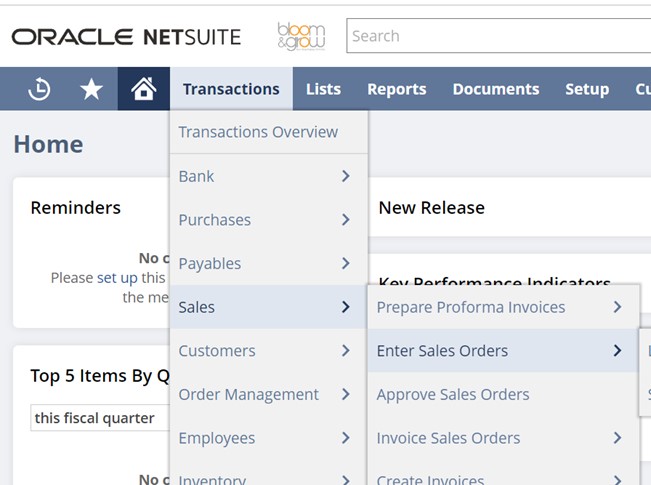
INPUT:
###
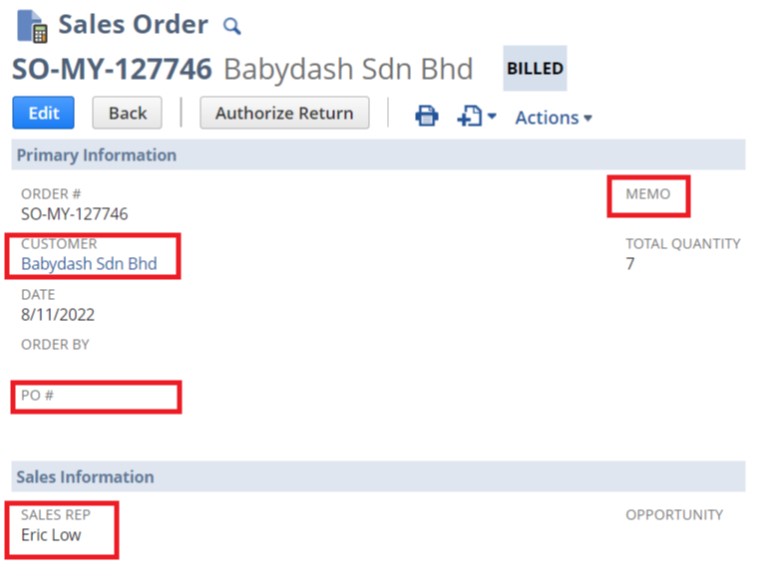
i) CUSTOMER/ PO#/ MEMO (if applicable).
###
ii) Double check defaulted SALES REP.
###
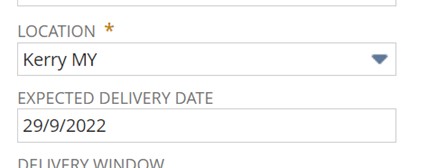
iii) LOCATION: Kerry MY
###
iv) EXPECTED DELIVERY DATE (release date)
###
v) ITEM’S INFORMATION (ITEM, QUANITITY, ensure PRICE LEVEL) ,check back order.

###
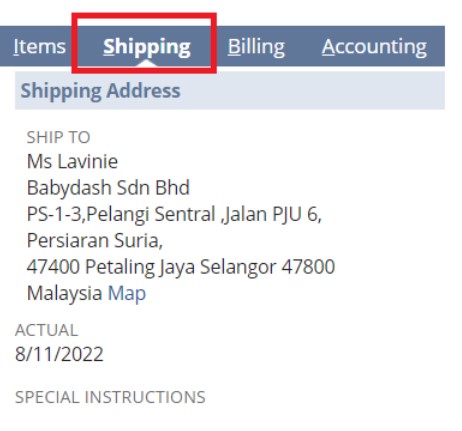
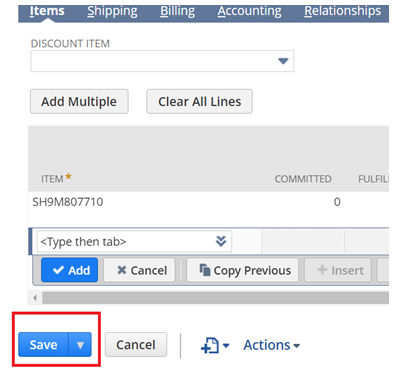
vi) Enter/ double check the Shipping Address and contact information - Save the sales order
##
3. Upload Bulk Order in NS
###
i) Create sales order following steps mentioned above.
###
ii) Enter 1 item into the sales order, record the SO No.
###
iii) Fill-up csv template with related information.
###
iv) Upload into NS.
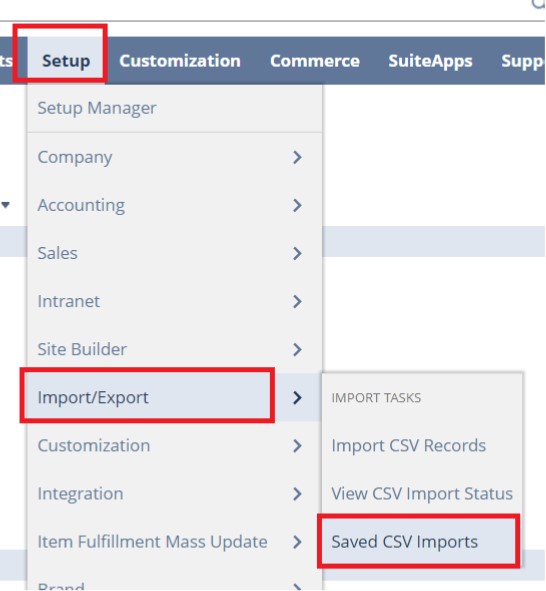
Select previous similar upload record.
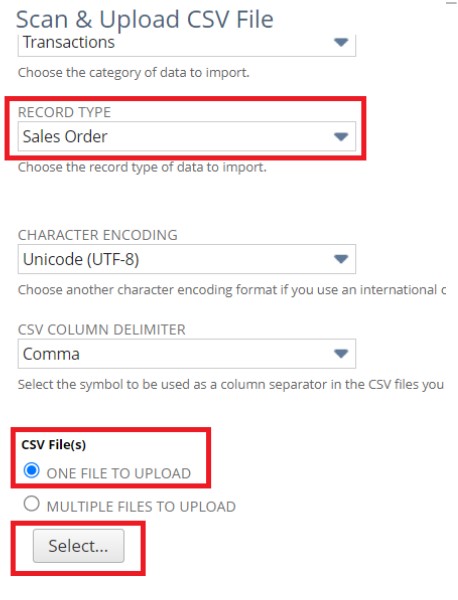
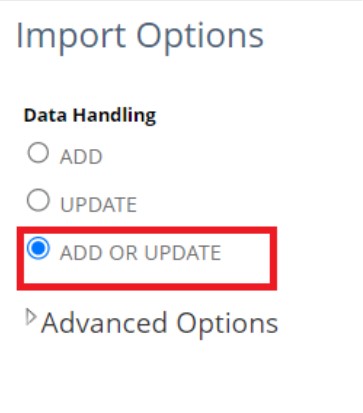
Select file > Select Add or Update > Next
Ensure all fields are matched and ticked
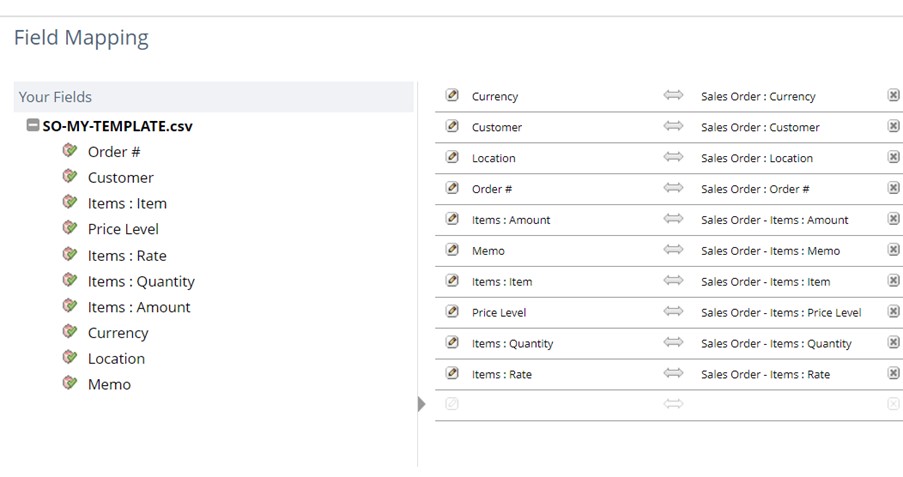
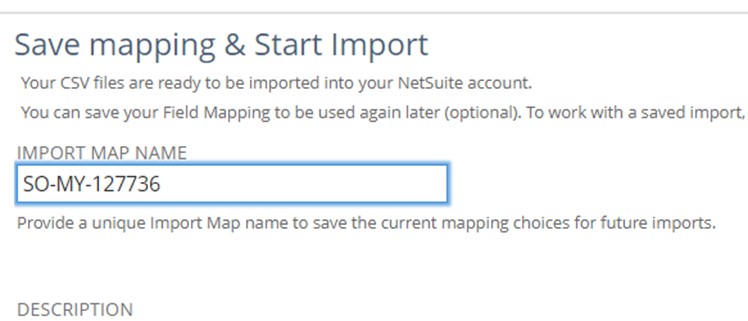
Save & Run, check upload status


##
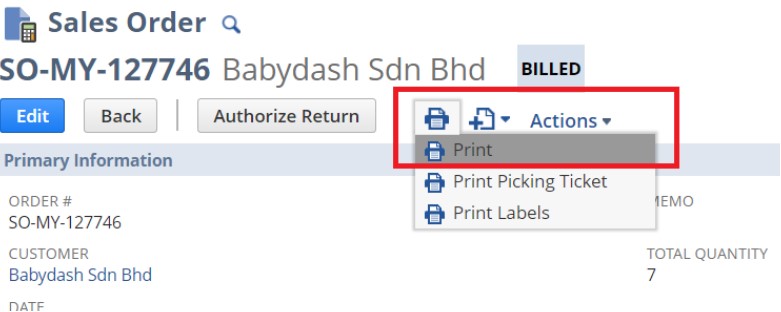
4. Print Sales Order & email to Sales Rep/ Customer for confirmation
#
(B) Update B\&G MY Delivery Record
Google drive > B\&G MY Delivery Record
[https://docs.google.com/spreadsheets/d/1Ygz5NNELHl6Mrcg-ZBlovAG2br1N0VYJqTn1StGlYLU/edit#gid=848957110](https://docs.google.com/spreadsheets/d/1Ygz5NNELHl6Mrcg-ZBlovAG2br1N0VYJqTn1StGlYLU/edit#gid=848957110)
#
(C) Order Submission Upon Confirmation
###
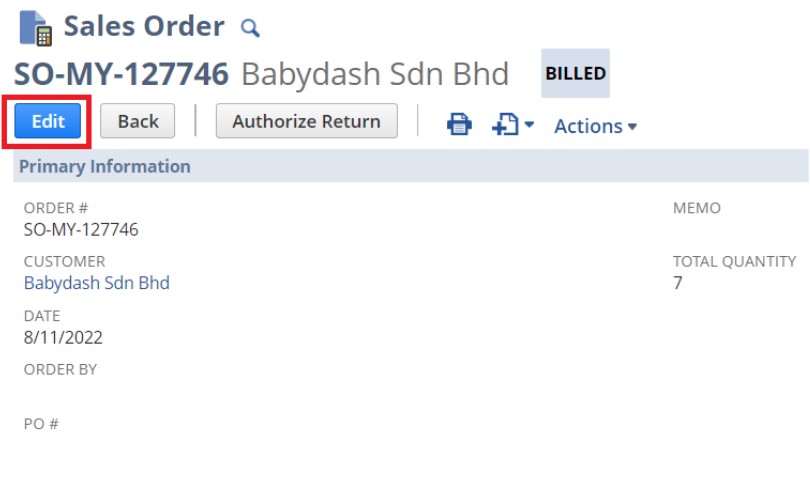
i) Edit sales order
###
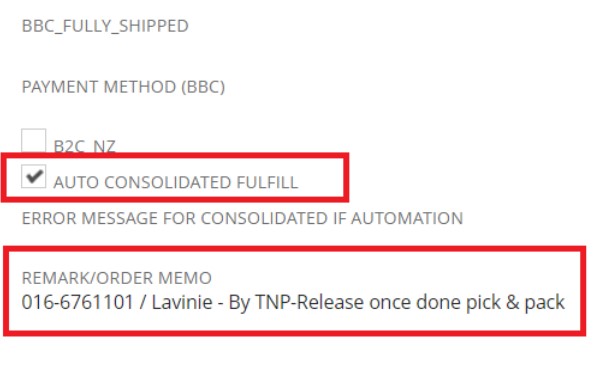
ii) Enter REMARK/ ORDER MEMO & TICK AUTO CONSOLIDATED FULFILL
{% hint style="info" %}
REMAR/ ORDER MEMO format: Contact name/ contact No – Transport mode-delivery timeline-special instructions > Save
{% endhint %}
{% hint style="info" %}
Order will be submitted automatically via EDI to WMS.
{% endhint %}
###
iii) Email order list to the warehouse team and ensure acknowledgement later.
#
(D) Auto Fulfilment and Invoicing in NS

###
i) Print invoice and email to Sales Rep/ Customer
.png)
.png)
###