Consignment Operations Handling
Consignment Operations Handling
#
1. Order processing
##
i) Transfer – manual
Login to Netsuite (user: myadmin@bloomandgroup.com/ password: Blooming232
Enter transfer order:
.png)
Input information:
.png)
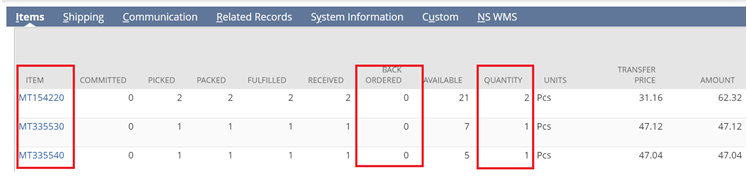
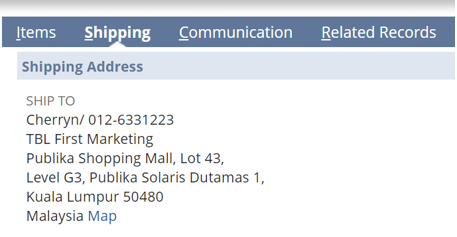
Save the transfer order, a transfer order number will be generated.
Update B\&G MY Delivery Record in the Google drive: [https://docs.google.com/spreadsheets/d/1Ygz5NNELHl6Mrcg-ZBlovAG2br1N0VYJqTn1StGlYLU/edit#gid=848957110](https://docs.google.com/spreadsheets/d/1Ygz5NNELHl6Mrcg-ZBlovAG2br1N0VYJqTn1StGlYLU/edit#gid=848957110)
Email to Ops & Sales Rep for order’s submission and delivery arrangement.
##
ii) Transfer order – upload csv
Create new transfer order with 1 item.
Fill-up upload csv template and upload on the NS:
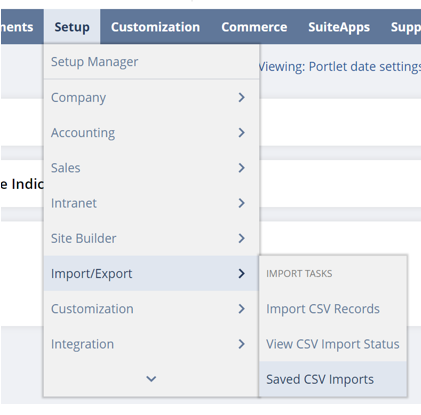
Select previous uploaded link
Select the csv file to upload

Select Next > Add or Update > Ensure fields mapping (all ticked)
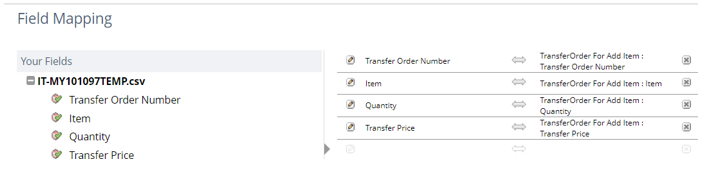
Select Next > enter mapping name (order No):
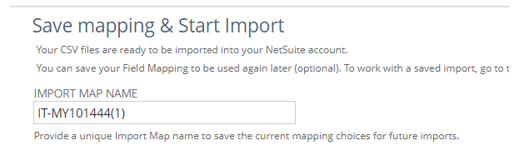
Save & Run
View csv import status
Cross-check order once upload is completed.
Update delivery record, email to Ops and Sales Rep for processing.
#
2. Stock transfer/ return – Repeat the order processing steps (manual/ upload), ensure correct locations are selected. Email to inform Ops for next arrangement.
#
3. Sales billing/ invoicing/ checklist
Invoice issuance – Manual
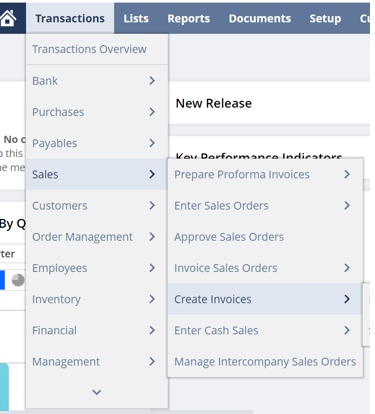
Input information:
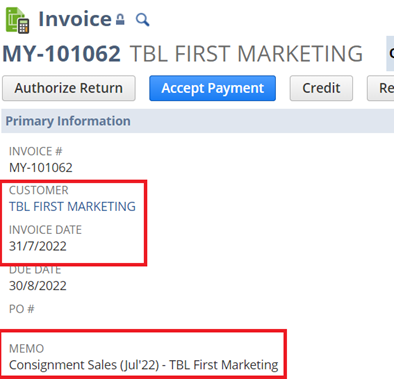

Save the transfer order, a transfer order number will be generated.
Update B\&G MY Delivery Record in the Google drive: [https://docs.google.com/spreadsheets/d/1Ygz5NNELHl6Mrcg-ZBlovAG2br1N0VYJqTn1StGlYLU/edit#gid=848957110](https://docs.google.com/spreadsheets/d/1Ygz5NNELHl6Mrcg-ZBlovAG2br1N0VYJqTn1StGlYLU/edit#gid=848957110)
Email the invoice to Sales Rep, c.c Ops.
##
iii) Invoice issuance – Upload csv – Similar to transfer order upload but select invoice upload. After upload is completed, email the invoice to Sales Rep, c.c Ops.
#
4. Stock take sheet preparation
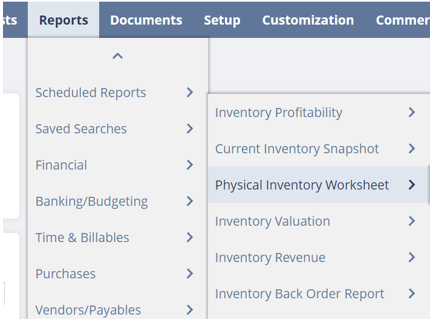
Select correct information (Location, Date) > Refresh:
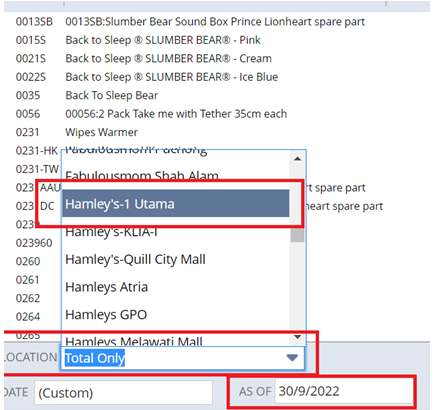
Exclude zero stock item: Customize > More Option > untick SHOW ZEROS > Preview
Download report in excel
Copy and paste information into stock take sheet format.
Must ensure signatures/ stamp by counter and customer on stock take sheet
#